Website Redesign Checklist: The Complete Step-by-Step Guide for 2026
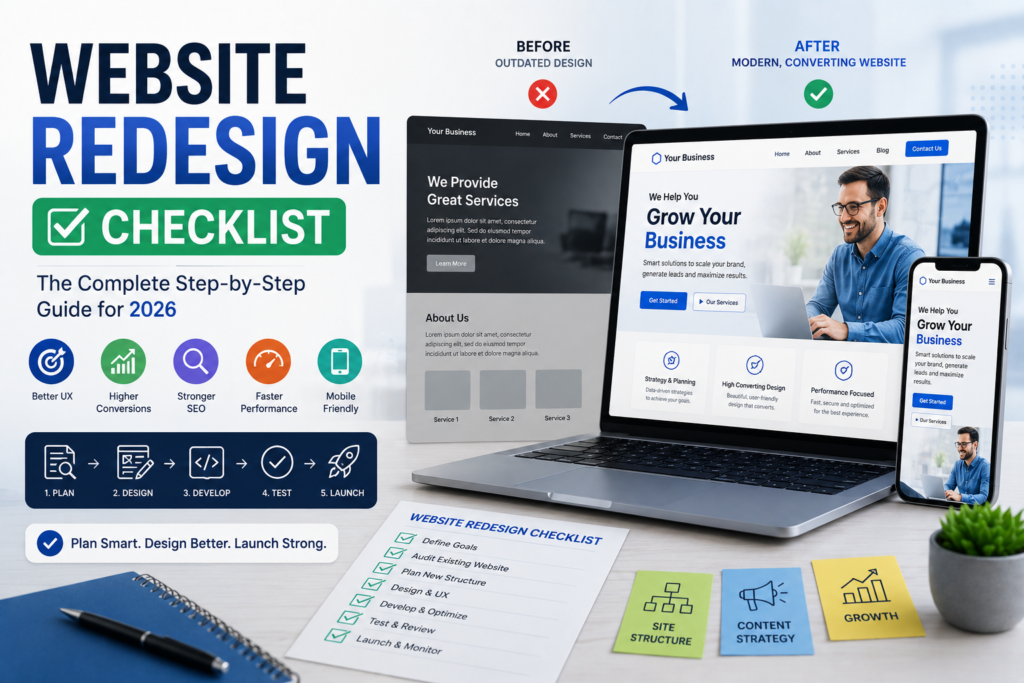
A website redesign is more than changing your colors, fonts, images, or homepage layout. A successful website redesign should improve the way your business attracts visitors, communicates its value, generates leads, supports customers, and converts traffic into measurable business results.
Whether your website is several years old, difficult to manage, slow on mobile devices, or simply no longer producing the results you need, a structured redesign can give your online presence a fresh start.
However, redesigning a website without proper planning can create serious problems. Broken links, lost SEO rankings, missing content, poor user experience, technical errors, and conversion issues can turn an exciting project into an expensive mistake.
That’s why having a detailed website redesign checklist is essential.
This step-by-step guide explains how to plan, design, develop, optimize, test, and launch a redesigned website in 2026. It also explains how to build a high-converting business website that combines modern design with SEO, user experience, performance, and conversion optimization.
What Is a Website Redesign?
A website redesign is the process of significantly improving an existing website’s design, structure, content, technology, functionality, and user experience.
Depending on your goals, a redesign may involve:
- New visual design
- Improved navigation
- New website structure
- Updated content
- Mobile optimization
- Better page speed
- Technical SEO improvements
- Conversion optimization
- New CMS or technology
- Improved security
- Third-party integrations
- New landing pages
- Better analytics and tracking
A redesign doesn’t always mean starting completely from scratch.
In some cases, the existing website may have valuable content, backlinks, rankings, and customer data that should be preserved.
The goal should be to identify what works, fix what doesn’t, and create a better digital experience.
Why Should You Redesign Your Website?
Your website is one of your most important digital marketing assets. If it no longer supports your business objectives, a redesign may be necessary.
Common reasons for a website redesign include:
- Outdated design
- Poor mobile experience
- Slow loading speed
- Declining search rankings
- Low conversion rates
- Confusing navigation
- Outdated content
- Security problems
- Difficult content management
- New branding
- New products or services
- Changing target audience
- Poor user experience
- Lack of conversion tracking
A website may also need redesigning when your competitors provide a significantly better online experience.
The key is not to redesign simply because your website looks old. Use business data, customer feedback, analytics, and technical audits to determine what actually needs improvement.
Complete Website Redesign Checklist
1. Define Your Website Redesign Goals
Before hiring a designer or developer, establish exactly what you want the redesigned website to accomplish.
Your goals might include:
- Generate more leads
- Increase online sales
- Improve SEO rankings
- Increase organic traffic
- Improve mobile usability
- Reduce bounce or abandonment
- Increase consultation bookings
- Improve brand credibility
- Improve website speed
- Simplify content management
Make your objectives measurable whenever possible.
For example, instead of saying:
“We want a better website.”
define a more specific objective:
“Increase qualified website leads by 25% within six months of launch.”
Clear goals provide direction throughout the website redesign process.
2. Audit Your Existing Website
Never begin a redesign without understanding your current website.
Conduct a comprehensive audit covering:
- Design
- Content
- SEO
- Performance
- Security
- Mobile usability
- Accessibility
- Analytics
- Conversions
- Technical functionality
Identify your strongest and weakest pages.
Your audit should answer questions such as:
- Which pages receive the most traffic?
- Which pages generate leads?
- Which pages rank well?
- Which pages have valuable backlinks?
- Which pages receive little traffic?
- Which pages have outdated information?
- Which pages have technical problems?
This information helps you avoid accidentally removing valuable assets during the redesign.
3. Analyze Your Website Analytics
Your analytics data can reveal how visitors interact with your website.
Look at:
- Traffic sources
- Top landing pages
- Conversion rates
- User journeys
- Device usage
- Geographic locations
- New versus returning visitors
- Exit pages
- Engagement metrics
- Lead sources
For example, if your analytics show that 70% of visitors use mobile devices, mobile experience should be a major redesign priority.
Similarly, if one service page generates most of your leads, that page deserves special attention.
Data should influence your website redesign strategy, rather than relying entirely on personal preferences.
4. Research Your Target Audience
A successful website is designed around its users, not just the business owner.
Before redesigning your website, understand:
- Who your customers are
- What problems they have
- What questions they ask
- What motivates them
- What objections they have
- What information they need
- What prevents them from buying
Customer interviews, surveys, support questions, sales conversations, reviews, and website analytics can provide useful insights.
The better you understand your audience, the easier it becomes to create relevant content and conversion paths.
5. Analyze Your Competitors
Competitor research should be part of your website redesign planning.
Review competing websites and evaluate:
- Homepage messaging
- Navigation
- Services
- Product pages
- Content
- Calls-to-action
- Mobile experience
- Page speed
- Trust signals
- Reviews
- Conversion processes
Don’t simply copy competitors.
Instead, identify opportunities to differentiate your business.
Ask:
What are competitors doing well?
What are they doing poorly?
What can your business do better?
This can help you create a stronger user experience and positioning strategy.
6. Review and Update Your Content
Content is one of the most important components of a website redesign.
Create an inventory of your existing pages and classify them as:
- Keep
- Update
- Combine
- Rewrite
- Redirect
- Remove
Review your:
- Homepage
- Service pages
- Product pages
- Blog posts
- About page
- Contact page
- FAQs
- Case studies
- Testimonials
- Landing pages
Avoid automatically deleting old content.
Some older pages may generate organic traffic or have valuable backlinks.
A content audit helps you preserve valuable SEO assets while removing outdated or unnecessary information.
7. Create a New Website Structure
A clear website architecture makes it easier for users and search engines to understand your website.
Create a sitemap before development begins.
For a typical business website, the structure might include:
Home
→ About
→ Services
→ Service Detail Pages
→ Industries
→ Case Studies
→ Blog
→ Resources
→ Contact
Your structure will depend on your business, but the basic principle remains the same:
Important information should be easy to find.
Avoid creating unnecessary levels of navigation.
8. Plan Your SEO Strategy
SEO must be included from the beginning of the website redesign process.
Redesigning a website can affect organic rankings if URLs, content, internal links, metadata, or site architecture change.
Before development, document your current:
- URLs
- Organic traffic
- Keyword rankings
- Metadata
- Internal links
- Backlinks
- High-performing pages
- Indexed pages
Then develop an SEO migration plan.
This should include:
- New URL structure
- Keyword mapping
- Metadata
- Internal linking
- Content optimization
- XML sitemap
- Robots.txt
- Canonical tags
- Structured data where appropriate
- 301 redirects
A website redesign SEO checklist can prevent many avoidable ranking problems.
9. Create Wireframes and UX Designs
Before jumping directly into visual design, create wireframes.
Wireframes establish:
- Page structure
- Navigation
- Content hierarchy
- CTA placement
- Forms
- Images
- Sections
- User flow
UX design should focus on making the website easy to understand and use.
This is especially important if you’re learning how to build a high-converting business website.
A high-converting website shouldn’t force visitors to figure out what to do.
The desired journey should be obvious.
10. Design a Modern User Interface
Once the structure and UX are established, create the visual design.
Your new design should reflect your brand while maintaining usability.
Consider:
- Typography
- Colors
- Images
- Icons
- Buttons
- Spacing
- Layout
- Visual hierarchy
- Brand consistency
Avoid designing purely for appearance.
Every visual element should support the user’s journey.
A beautiful website that is difficult to navigate is not a successful redesign.
11. Develop the New Website
During development, make sure the website is:
- Responsive
- Secure
- Fast
- Scalable
- Accessible
- SEO-friendly
- Easy to manage
Use clean code and avoid unnecessary features that increase complexity without providing meaningful value.
The development stage should also include integrations such as:
- CRM
- Email marketing
- Payment systems
- Analytics
- Booking systems
- Chat
- Marketing automation
- Ecommerce platforms
Test integrations before launch rather than discovering problems afterward.
12. Optimize for Mobile Devices
Mobile optimization is no longer optional.
Your redesigned website should work smoothly on smartphones and tablets.
Test:
- Navigation
- Buttons
- Forms
- Images
- Menus
- Checkout
- Text readability
- Pop-ups
- Videos
- Contact options
Make sure visitors don’t have to zoom in or scroll horizontally.
A responsive website redesign should provide a consistent and intuitive experience across screen sizes.
13. Improve Website Speed
Performance should be a core component of your website redesign best practices.
Optimize:
- Images
- JavaScript
- CSS
- Fonts
- Videos
- Server response
- Caching
- Third-party scripts
Use appropriate image dimensions and modern formats.
Remove unnecessary plugins and scripts where possible.
A faster website provides a better experience and can support your overall SEO and conversion objectives.
14. Optimize Conversion Paths
One of the biggest mistakes businesses make is focusing entirely on visual design.
Your redesigned website should be designed around conversions.
Determine the primary conversion for each page.
Examples:
Homepage → Explore services
Service page → Request consultation
Product page → Add to cart
Blog → Download resource
Contact page → Submit enquiry
Use clear calls-to-action throughout the website.
This is a critical part of website conversion optimization.
15. Implement Technical SEO
Before launching, review the technical SEO foundation.
Check:
- Page titles
- Meta descriptions
- Heading structure
- URLs
- Canonical tags
- XML sitemap
- Robots.txt
- Image alt text
- Internal links
- Structured data
- Indexability
- Broken links
- Redirects
Also check whether important pages are accidentally blocked from search engine crawlers.
Technical SEO problems are much easier to prevent than repair after launch.
16. Set Up 301 Redirects
URL changes are common during redesigns.
If an old URL is removed or changed, create an appropriate 301 redirect to the relevant new URL.
Create a redirect spreadsheet containing:
Old URL → New URL → Redirect Status
Pay particular attention to pages that have:
- Organic traffic
- Backlinks
- Search rankings
- Social shares
- Existing customers using them
A strong redirect strategy is essential for website redesign SEO.
17. Test Forms and Functionality
Before launch, test every important function.
Check:
- Contact forms
- Lead forms
- Newsletter subscriptions
- Login systems
- Search
- Shopping carts
- Checkout
- Payments
- Booking systems
- Downloads
- Emails
- CRM integrations
Submit forms using different devices and browsers.
Make sure notifications reach the appropriate team members.
A beautiful website that loses leads because a form doesn’t work is a failed redesign.
18. Perform Cross-Browser Testing
Your website should work correctly across major browsers and devices.
Test on:
- Chrome
- Edge
- Safari
- Firefox
- Android devices
- iPhones
- Tablets
- Desktop computers
Check layouts, buttons, forms, menus, images, videos, and interactive components.
Don’t assume that something working on your own computer means it works everywhere.
19. Check Website Accessibility
Accessibility should be included in modern website redesign best practices.
Review:
- Color contrast
- Keyboard navigation
- Image alternative text
- Form labels
- Heading structure
- Link descriptions
- Focus states
- Video captions where appropriate
An accessible website can provide a better experience for a wider range of users.
20. Install Analytics and Conversion Tracking
Don’t launch a redesigned website without measurement.
Configure tracking for important events such as:
- Form submissions
- Purchases
- Calls
- Bookings
- Downloads
- Newsletter sign-ups
- Demo requests
- Quote requests
Make sure your analytics system is correctly recording conversions before launch.
Without proper tracking, you won’t know whether your redesign actually improved performance.
21. Perform a Pre-Launch SEO Audit
Before switching the new website live, perform one final SEO review.
Check:
- All important pages exist
- Metadata is correct
- URLs are correct
- Redirects are configured
- Internal links work
- Images are optimized
- Sitemap is available
- Robots.txt is correct
- Canonical tags are correct
- Analytics is working
- Important pages are indexable
- No unnecessary staging pages are accessible
This final review can prevent major post-launch problems.
Website Redesign SEO Checklist
Use this quick checklist before launching:
- Existing URLs documented
- High-performing pages identified
- Keyword research completed
- New URL structure planned
- Metadata updated
- Content optimized
- Internal linking reviewed
- 301 redirects prepared
- XML sitemap created
- Robots.txt reviewed
- Canonical tags checked
- Structured data reviewed
- Broken links fixed
- Mobile optimization completed
- Page speed optimized
- Analytics configured
- Conversion tracking tested
- Search console configured
- Pre-launch SEO audit completed
Website Redesign Launch Checklist
When you’re ready to launch, follow a structured process.
Before Launch
- Complete final testing
- Back up the existing website
- Verify redirects
- Check analytics
- Test forms
- Check mobile devices
- Review SEO settings
- Confirm hosting and DNS configuration
During Launch
- Deploy the new website
- Check important pages
- Test forms
- Test redirects
- Check navigation
- Verify analytics
- Review robots.txt
- Check sitemap
After Launch
Monitor the website closely.
Look for:
- Traffic changes
- Ranking changes
- Broken links
- 404 errors
- Conversion changes
- Technical problems
- Indexing issues
- User feedback
Don’t assume the project is finished the moment the new website goes live.
Common Website Redesign Mistakes to Avoid
Even well-planned projects can fail when businesses make these common mistakes.
Redesigning Without Data
Don’t remove pages or change important elements without understanding their existing performance.
Focusing Only on Design
A new visual appearance doesn’t automatically produce more leads or sales.
Ignoring SEO
Changing URLs and content without a migration strategy can result in lost organic traffic.
Making the Website Too Complicated
More features don’t necessarily mean a better website.
Forgetting Mobile Users
Always design and test for mobile users.
Launching Without Testing
Small technical errors can create major business problems.
Not Tracking Conversions
Traffic alone doesn’t tell you whether the redesign is successful.
Ignoring Page Speed
Heavy designs and unnecessary functionality can make a website slow.
How to Build a High-Converting Business Website
If you’re asking how to build a high-converting business website, the answer begins with strategy rather than design.
A high-converting website should combine:
Clear messaging + excellent UX + trust + strong content + SEO + conversion optimization + performance + analytics
Your homepage should quickly communicate your value.
Your service and product pages should explain benefits clearly.
Your landing pages should focus on specific conversion goals.
Your CTAs should tell visitors what to do next.
Your website should provide evidence that your business is trustworthy.
And every important conversion should be measurable.
Most importantly, the website should be built around your customer’s needs.
A high-converting website isn’t necessarily the website with the most animations, features, or complicated design.
It’s the website that makes it easy for the right visitor to understand your offer, trust your business, and take action.
How Often Should You Redesign Your Website?
There is no universal redesign schedule.
Many businesses evaluate their website annually and consider a major redesign approximately every three to five years, but the correct timing depends on performance and business requirements.
You may need a redesign sooner if:
- Your website is difficult to use
- Mobile performance is poor
- Technology is outdated
- Conversions are declining
- SEO performance is suffering
- Your branding has changed
- Your business has changed significantly
- Your competitors provide a substantially better experience
Don’t redesign simply because your website is a certain age.
Redesign when the existing website prevents your business from achieving its objectives.
Final Thoughts
A successful website redesign requires much more than creating a modern-looking homepage.
It requires research, planning, SEO, content strategy, UX design, technical development, conversion optimization, testing, and ongoing measurement.
By following a comprehensive website redesign checklist, you can reduce risks and create a website that is faster, easier to use, better optimized for search engines, and more effective at generating leads and sales.
The most important principle is to think about the entire customer journey.
Your website needs to answer the visitor’s questions, communicate your value, establish trust, remove friction, and provide a clear next step.
Whether you’re redesigning an existing website or starting from scratch, understanding how to build a high-converting business website will help you create an online presence that supports real business growth.
Remember:
A successful website redesign isn’t about making your website look newer. It’s about making your website work better—for your visitors and your business.
Use this checklist as a roadmap, measure your results after launch, and continue improving based on real user behavior and business data.
Leave a Reply