15 Signs Your Website Is Losing Customers (And How to Fix It)
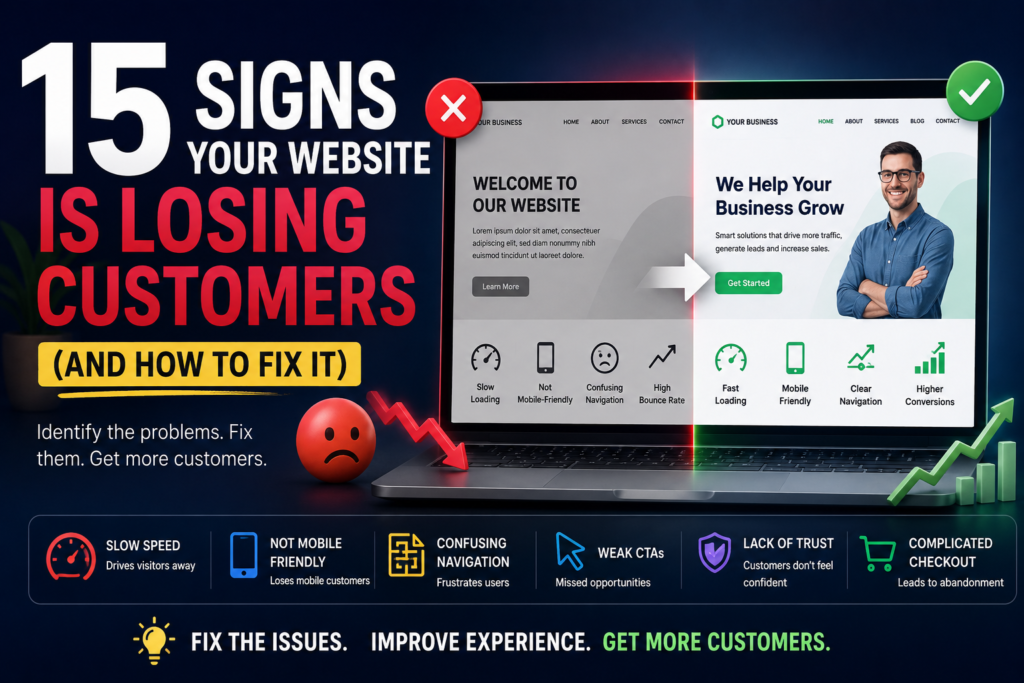
Your website may be getting visitors, but are those visitors actually becoming customers?
A website can look attractive, rank well on Google, and receive thousands of visitors while quietly losing potential customers every day. A slow page, confusing navigation, weak messaging, complicated forms, poor mobile experience, or lack of trust can be enough to make someone leave and choose a competitor instead.
If you’ve noticed declining leads, fewer inquiries, low sales, or visitors leaving without taking action, your website may have conversion problems.
The good news is that many of these problems can be identified and fixed.
In this guide, we’ll explore 15 signs your website is losing customers, explain why each problem matters, and provide practical solutions you can use to improve your website conversion rate, user experience, and overall performance.
Important SEO note: Local SEO vs Traditional SEO is a separate topic from website conversion optimization. While both can affect online growth, this article’s primary topic and target keyword are signs your website is losing customers. The Local SEO vs Traditional SEO keyword should only be included where it is contextually relevant rather than forced into the article.
Why Your Website Experience Matters for Customer Conversion
Your website is often the first significant interaction a potential customer has with your business.
Before contacting you, a visitor may evaluate:
- How professional your business looks
- How quickly your website loads
- Whether they can find what they need
- Whether your products or services solve their problem
- Whether they can trust your company
- Whether contacting you is easy
- Whether your website works properly on mobile
A problem in any of these areas can create friction.
And friction creates lost opportunities.
A visitor doesn’t always tell you why they left. They simply close the tab, return to Google, and visit another website.
That’s why understanding the reasons customers leave a website is essential for every business.
15 Signs Your Website Is Losing Customers
1. Your Website Loads Too Slowly
Website speed is one of the first things visitors notice.
If a page takes too long to load, people may leave before seeing your offer.
Slow websites can be caused by:
- Large image files
- Poor hosting
- Excessive plugins
- Unoptimized code
- Too many scripts
- Poor caching
- Heavy third-party integrations
How to fix it
Start by testing your important pages and identifying performance bottlenecks.
Compress images, remove unnecessary plugins and scripts, use appropriate caching, optimize code, and consider better hosting when necessary.
Don’t optimize speed simply to achieve a perfect score in a testing tool. Focus on creating a fast, reliable experience for real users.
2. Your Website Is Not Mobile-Friendly
A significant portion of modern website traffic comes from smartphones.
If visitors have to zoom, scroll horizontally, tap tiny buttons, or struggle to read your content, they may leave immediately.
A mobile-friendly website should have:
- Responsive layouts
- Readable text
- Large enough buttons
- Simple navigation
- Fast loading
- Mobile-friendly forms
- Properly sized images
How to fix it
Test your website on multiple screen sizes.
Don’t just resize the desktop version.
Design the mobile experience intentionally, especially for important pages such as landing pages, product pages, contact pages, and checkout screens.
3. Visitors Leave Without Taking Action
Traffic alone doesn’t generate revenue.
If visitors arrive on your website but don’t call, submit a form, purchase, book an appointment, or take another meaningful action, you have a conversion problem.
For example, you may receive 5,000 monthly visitors but only generate a handful of leads.
How to fix it
Define one primary conversion goal for every important page.
Ask:
What should the visitor do next?
Then make that action obvious.
Use clear calls to action such as:
- Get a Free Quote
- Book a Consultation
- Start Your Free Trial
- Request a Demo
- Shop Now
- Contact Us
4. Your Bounce Rate or Engagement Metrics Are Concerning
Analytics can reveal that users are arriving and leaving quickly.
However, don’t assume a high bounce rate automatically means your website is failing.
Some informational pages naturally satisfy a visitor’s question quickly.
Instead, analyze multiple signals together:
- Engagement
- Time spent on important pages
- Conversion rate
- Landing-page performance
- Exit pages
- User journeys
- Lead generation
- Sales
How to fix it
Identify pages where users frequently leave without completing the intended action.
Then investigate what might be causing the problem.
The issue could be weak content, poor navigation, slow performance, irrelevant traffic, or a mismatch between the page and the search intent.
5. Your Website Navigation Is Confusing
If visitors can’t figure out where to go, they may give up.
A complicated navigation menu can create unnecessary friction.
Common problems include:
- Too many menu items
- Unclear labels
- Important pages hidden
- Poor mobile navigation
- Excessive dropdowns
- No logical page hierarchy
How to fix it
Keep your primary navigation simple.
Visitors should quickly understand:
Who are you? What do you offer? Why should they choose you? How can they contact you?
Use familiar labels such as:
- Services
- Products
- About
- Pricing
- Resources
- Contact
6. Your Call-to-Action Buttons Are Weak or Difficult to Find
A visitor can be interested in your product or service and still fail to convert if you don’t clearly tell them what to do next.
“Submit” isn’t particularly persuasive.
Compare it with:
Get My Free Consultation
The second option communicates a clear benefit.
How to fix it
Make calls to action:
- Clear
- Specific
- Benefit-focused
- Easy to find
- Consistent
Don’t cover every page with dozens of competing CTAs.
Give visitors a clear next step.
7. Your Website Content Does Not Answer Customer Questions
Visitors don’t come to your website just to admire the design.
They come because they have a question, problem, need, or goal.
If your content is vague, generic, or focused too heavily on your company, visitors may not find the information they need.
How to fix it
Create content around customer questions.
Explain:
- What you offer
- Who it’s for
- How it works
- How much it costs or what affects pricing
- What results customers can expect
- Why your solution is different
- What happens next
Use straightforward language rather than unnecessary industry jargon.
8. Your Homepage Does Not Clearly Explain What You Offer
Your homepage has a very important job.
A visitor should understand what your business does within seconds.
If your headline says:
“Transforming Tomorrow Through Innovation”
but doesn’t explain what you actually sell, you’ve created unnecessary confusion.
How to fix it
Use a clear headline that communicates:
What you offer + who you help + the primary benefit.
For example:
“Conversion-Focused Websites for Growing Small Businesses.”
Then support it with a concise explanation and a clear CTA.
9. Your Website Looks Outdated or Unprofessional
Your website influences how visitors perceive your brand.
An outdated design can create concerns about:
- Credibility
- Security
- Reliability
- Product quality
- Customer support
- Business legitimacy
This doesn’t mean you need to redesign your website every year.
A modern website should primarily be useful, accessible, trustworthy, and easy to use.
How to fix it
Review your website’s:
- Typography
- Layout
- Images
- Branding
- Spacing
- Mobile design
- Navigation
- Content
- Calls to action
If the website looks significantly older than your competitors, a redesign or strategic refresh may be worthwhile.
10. Your Checkout or Contact Form Is Too Complicated
Every additional field creates another opportunity for a visitor to abandon the process.
If a customer only needs to request a quote, asking for 15 pieces of information may be unnecessary.
How to fix it
Ask only for information you genuinely need.
For a simple lead form, this might include:
- Name
- Phone
- Service needed
- Message
For eCommerce websites, simplify the checkout process as much as possible.
Make errors obvious and provide helpful instructions.
11. Customers Cannot Easily Find Your Contact Information
Imagine a potential customer wants to call your business but can’t find your phone number.
That’s a lost opportunity.
Contact information should be easy to locate.
Depending on your business, include:
- Phone number
- Contact form
- Business address
- Opening hours
- Social profiles where appropriate
For local businesses, accurate contact information is especially important because it supports both customer experience and local visibility.
12. Your Website Lacks Trust Signals
People don’t want to give their money or personal information to a business they don’t trust.
Trust signals can include:
- Customer testimonials
- Reviews
- Case studies
- Client logos
- Certifications
- Awards
- Guarantees where appropriate
- Secure payment information
- Clear policies
- Real business information
How to fix it
Add genuine proof throughout your customer journey.
Don’t place all testimonials on one page and expect visitors to find them.
Relevant social proof should appear near important conversion points.
13. Your Product or Service Pages Are Not Optimized
A common mistake is spending most of the design effort on the homepage while neglecting product and service pages.
But these pages are often where customers make purchasing decisions.
A strong service or product page should explain:
- What the offering is
- Who it’s for
- Key benefits
- Features
- Pricing information where appropriate
- FAQs
- Proof
- Next steps
How to fix it
Treat every important product or service page as a landing page.
Optimize the content around the customer’s search intent and buying questions.
For example, a local business can combine service and geographic intent where relevant, while a national company may focus on broader commercial keywords.
This is where Local SEO vs Traditional SEO can influence the content strategy: local businesses may need location-specific service pages, while businesses serving broader markets may focus on non-location-specific commercial pages.
14. Your Website Has Broken Links, Errors, or Technical Problems
Broken links and technical errors create frustration.
A visitor clicking an important button and receiving a 404 page may simply leave.
Common technical problems include:
- Broken links
- Missing images
- 404 errors
- Form failures
- Incorrect redirects
- JavaScript errors
- Checkout problems
- SSL/security warnings
How to fix it
Perform regular website audits.
Test your most important customer journeys manually.
Don’t assume a form works simply because it worked when you launched the website.
15. Your Website Gets Traffic but Generates Few Leads or Sales
This is perhaps the clearest sign of a conversion problem.
Your analytics may show:
Traffic: Increasing
but:
Leads: Flat
or:
Sales: Declining
That means your website may be attracting visitors but failing to turn them into customers.
How to fix it
Look beyond traffic.
Analyze your conversion funnel:
Traffic → Landing Page → Engagement → CTA → Form/Checkout → Conversion
Identify where the largest drop-off occurs.
Then test improvements at that specific stage.
Why Do Visitors Leave a Website Without Buying?
There isn’t always one reason.
Visitors may leave because:
- The website is slow
- The offer isn’t clear
- The price isn’t explained
- They don’t trust the business
- The page doesn’t match their search
- Navigation is difficult
- The site doesn’t work well on mobile
- The form is too long
- There isn’t enough product information
- The CTA is unclear
- The visitor isn’t ready to buy
The goal is to identify which problem affects your audience.
How to Find Out Where Your Website Is Losing Customers
Guessing isn’t enough.
Use data.
Analyze Website Traffic and User Behavior
Look at your most important landing pages and identify:
- Traffic sources
- Engagement
- Exit behavior
- Conversion rate
- Device type
- Geographic traffic
- New vs returning visitors
Check Your Conversion Funnel
Measure each step from visitor to customer.
If thousands of people reach a product page but very few begin checkout, investigate the product page.
If many users start checkout but don’t finish, investigate the checkout experience.
Test Your Website on Mobile Devices
Use real phones whenever possible.
Check:
- Navigation
- Buttons
- Forms
- Images
- Page speed
- Checkout
- Readability
Review Your Website Speed
Test important pages rather than only your homepage.
Your highest-converting landing pages deserve particular attention.
Watch Real User Sessions
Session recordings and heatmaps can reveal behaviors that analytics numbers cannot explain.
You may discover that users:
- Can’t find a button
- Click non-clickable elements
- Stop scrolling
- Ignore important content
- Get stuck on forms
Conduct a Website Conversion Audit
A professional conversion audit can evaluate your:
- Messaging
- Design
- UX
- Navigation
- Content
- CTAs
- Forms
- Trust signals
- Technical performance
- Conversion funnel
How to Stop Your Website From Losing Customers
Once you’ve identified the problems, prioritize them.
You don’t need to rebuild your entire website immediately.
Start with the changes that can have the biggest impact.
Improve Website Speed
Optimize images, scripts, caching, hosting, and code.
Simplify Your Navigation
Make it easy for visitors to find products, services, pricing, information, and contact options.
Strengthen Your Calls to Action
Tell visitors exactly what they should do next.
Improve Your Website Copy
Replace vague marketing language with clear, customer-focused messaging.
Add Social Proof and Trust Signals
Use authentic reviews, testimonials, case studies, and credibility indicators.
Optimize Your Website for Mobile
Ensure your entire customer journey works properly on smaller screens.
Simplify Forms and Checkout
Remove unnecessary fields and make errors easy to understand.
Improve Your Landing Pages
Match your landing-page content to the visitor’s search intent and expectations.
Website Conversion Optimization Checklist
Use this quick checklist to identify potential problems:
- Does your website load quickly?
- Is it fully mobile-friendly?
- Is your value proposition immediately clear?
- Can visitors easily find your products or services?
- Are your CTAs obvious?
- Are your contact details easy to find?
- Does your website include genuine social proof?
- Are your forms simple?
- Does your checkout process work smoothly?
- Are your important pages free from broken links?
- Does your content answer customer questions?
- Are your service/product pages optimized?
- Are you tracking conversions?
- Are you monitoring user behavior?
- Are you regularly testing and improving your website?
When Should You Redesign Your Website?
A website doesn’t necessarily need a complete redesign simply because it looks a few years old.
However, a redesign may be appropriate if:
- Your website isn’t mobile-friendly
- Your brand has changed
- Navigation is difficult
- The technology is outdated
- Conversions have declined
- Your website is difficult to update
- Competitors provide a significantly better experience
- Your website no longer represents your business
Before redesigning, identify the actual business problem.
A beautiful new website won’t automatically fix poor messaging, weak offers, or a broken conversion funnel.
How Website Design Impacts Sales and Customer Retention
Website design isn’t just about aesthetics.
Effective design reduces friction.
It helps visitors understand:
Where am I?
What does this company offer?
Can I trust them?
What should I do next?
When design, content, performance, and conversion strategy work together, the website becomes a business asset rather than simply an online brochure.
Frequently Asked Questions
How do I know if my website is losing customers?
Look for declining leads or sales, low conversion rates, poor engagement, high drop-off rates, slow page speed, increasing abandonment, negative user feedback, and technical problems. Compare traffic trends with actual conversions rather than evaluating traffic alone.
Why are visitors leaving my website?
Visitors may leave because the website is slow, confusing, irrelevant, difficult to use, poorly optimized for mobile, or doesn’t clearly communicate value. Sometimes the traffic itself may also be poorly targeted.
What causes a website to have a low conversion rate?
Common causes include unclear messaging, weak CTAs, poor user experience, lack of trust, complicated forms, slow performance, poor mobile design, and a mismatch between visitor intent and page content.
How can I get more customers from my website?
Start by improving the entire conversion journey. Clarify your offer, optimize important landing pages, improve speed, strengthen CTAs, add trust signals, simplify forms, improve mobile usability, and measure conversions continuously.
How often should I update my website?
There isn’t a universal schedule. Review your website regularly and update content, technology, design, security, offers, and customer information whenever they become outdated or performance data indicates a problem.
Should I redesign my website if it is not converting?
Not always. First identify why it isn’t converting. If the problem is messaging, traffic quality, pricing, or the offer, a redesign alone may not solve it. If the website has fundamental UX, technical, mobile, or structural problems, a redesign may be justified.
Final Thoughts: Turn Your Website Into a Customer-Generating Machine
Your website doesn’t have to be broken to be losing customers.
Small problems can create significant friction when thousands of visitors encounter them every month.
A slow page, confusing navigation, unclear headline, weak CTA, complicated form, or missing trust signal can be the difference between a visitor and a customer.
That’s why website optimization should be an ongoing process.
Start by identifying the biggest weaknesses in your customer journey. Use analytics and real user behavior to understand what’s happening. Then prioritize improvements based on potential business impact.
Remember, the goal isn’t simply to make your website look better.
The goal is to make it easier for the right people to understand your offer, trust your business, and take action.
And while SEO strategies such as Local SEO vs Traditional SEO can help bring more qualified visitors to your website, traffic is only the beginning. Your website needs to convert those visitors once they arrive.
More traffic + better user experience + stronger conversion strategy = more opportunities to generate customers.
If your website is attracting visitors but not producing the leads or sales you expect, it’s time to stop asking, “How can I get more traffic?” and start asking:
“Where are my customers dropping off—and what can I fix?”
Leave a Reply